Most sellers never work out what their business tools cost per order. They pay the subscription, the money leaves, and the question of whether it earned its keep never gets asked. That is how you end up three years in, paying every quarter for a system where you use the storefront and nothing else.
Here is the sum, and then the honest answer about when a cheaper tool is the right move and when it is a false economy.
Work out what your selling tool costs per order
Take what you paid your platform last month and divide it by the number of orders it brought you.
A plan at ₦5,000 a month across 40 orders is ₦125 an order. Nobody should lose sleep over that. The same plan across 6 orders is ₦833 an order, and on a ₦4,000 item that is a fifth of what you were keeping.
The number that matters is not the price on the pricing page. It is the price per order, and it moves every month whether you look at it or not.
Then ask the second question: how many of the things you are paying for did you open last month? Write down the features you actually touched. For most sellers running their business off a phone, the list comes to three: the storefront, the order list, and payments.
If you are paying for POS, staff accounts, several locations and campaign credits and your list still comes to three, you are not buying software. You are buying options you never take.
What a business suite is really for
This is worth saying plainly, because "you are overpaying" is lazy advice when it is aimed at the wrong seller.
A business suite like Bumpa is built for a shop with moving parts. A counter with a POS terminal on it. Staff who each need their own login so you can tell who sold what. Stock split between a shop in Surulere and a store room in Ikeja. Campaigns going out to a customer list by SMS and email.
If two or more of those describe your week, the price per order argument does not apply to you. You are paying for coordination, and coordination is worth money.
If none of them describe your week, you are paying a coordination price to run a shop that has nothing to coordinate.
What Bumpa charges, and what the alternative charges
At the time of writing, in September 2026, Bumpa's own pricing page lists Starter at ₦15,000 billed quarterly, which works out at ₦5,000 a month, and Pro at ₦30,000 a quarter. There is a free plan with limits, and things like message credits and a custom domain are sold separately. Check their page before you decide, because plans move.
The part that catches people is the billing period. Quarterly means you pay for January, February and March in January, whether or not January was a good month. December sellers know exactly what this feels like in a slow February.
SendSawa is the other shape of the same job. The free plan holds 10 products on one store, needs no card, and does not run out. The Growth plan is ₦5,000 a month, or ₦4,000 a month if you pay for a year, and it lifts the product limit entirely.
Both take 0% of your sales. That part is not the difference, and any comparison that pretends it is should be ignored.
Bumpa and SendSawa, feature by feature
| Feature | SendSawa | Bumpa |
|---|---|---|
| Free plan with no end date | Yes | Limited free plan |
| Cheapest paid plan | ₦5,000/month | ₦15,000/quarter |
| Pay month by month | Yes | Quarterly or yearly |
| Cut taken from your sales | 0% | 0% |
| Storefront link to share | Yes | Yes |
| WhatsApp order button | Yes | Yes |
| Card and bank transfer | Yes | Yes |
| Stock tracking | Yes | Yes |
| Store live in about 5 minutes | Yes | Longer setup |
| POS for a physical shop | No | Yes |
| Staff accounts | No | Yes |
| Several shop locations | No | Yes |
| Free social media page audit tool | Yes | No |
Prices as published by both companies in September 2026.
What SendSawa includes that a feature table usually misses
Offers that give somebody a reason to buy today. A countdown bar across the top of your store with a real deadline on it, and a scrolling strip under it doing the shouting. "Buy more, pay less", so the second item costs less than the first and your average order goes up. Flash offers on a single product. All on the Growth plan.
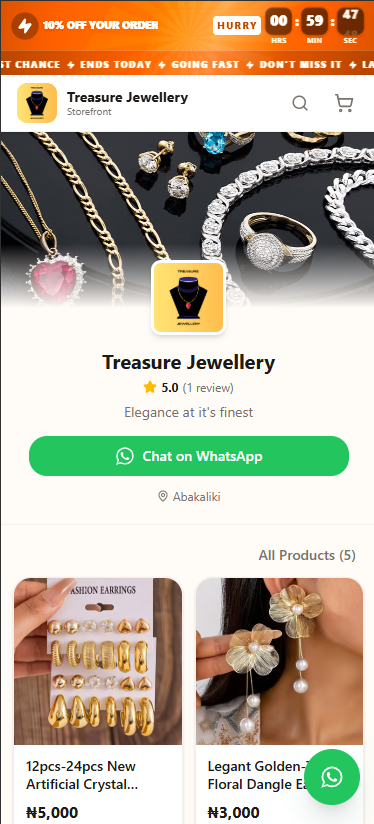
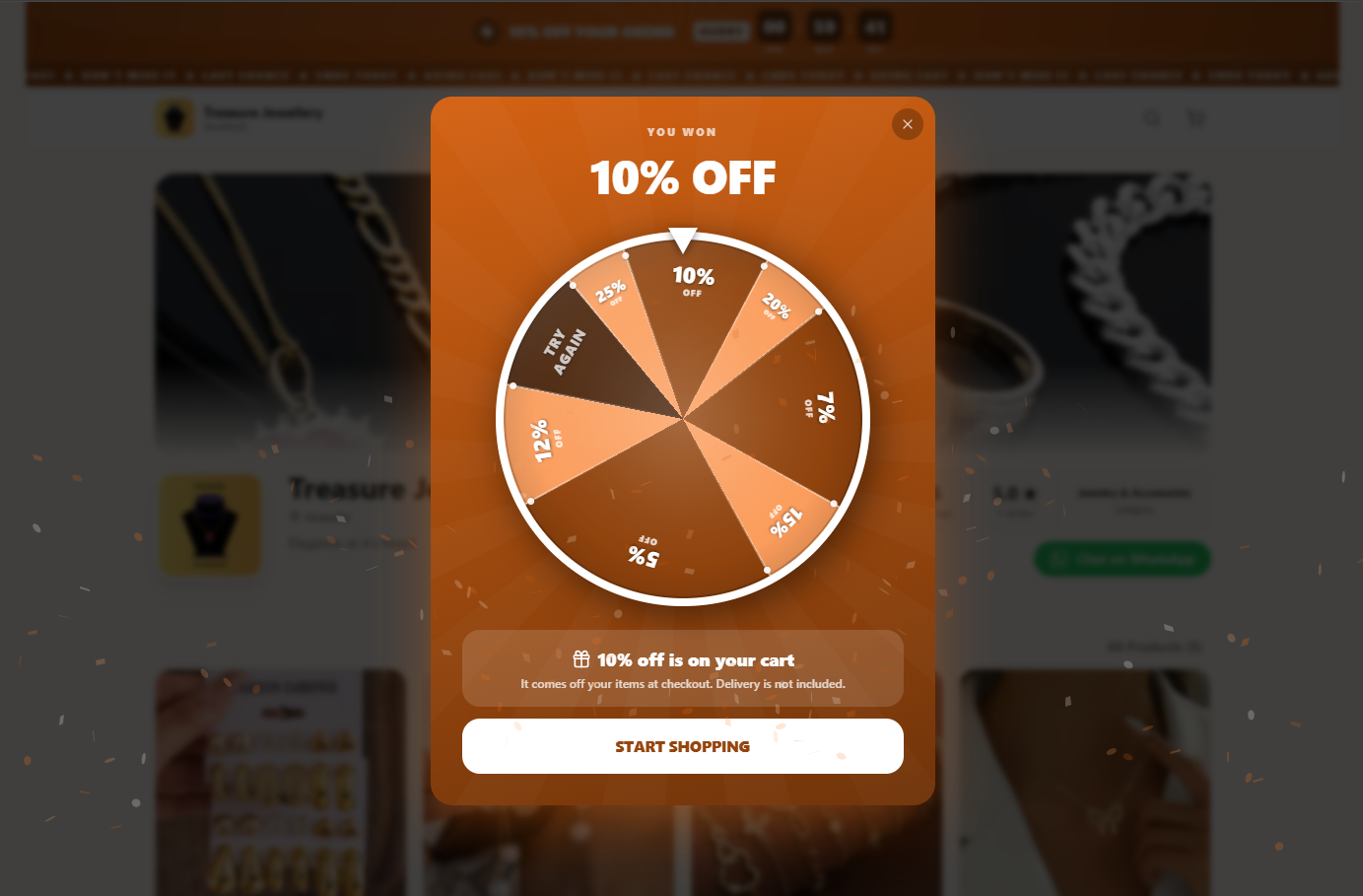
A prize wheel that greets people when they open your store. The wheel shows other numbers around the edge so the spin is worth watching, but it always stops on the discount you set. Nobody can win more than you decided to give away, and the discount lands on their cart before they reach checkout.
Follow-ups for the people who left without paying. Every buyer who filled a cart and disappeared lands in one list, with the message already written and a button that sends it on WhatsApp. Those are people who already chose the item, so it is the cheapest order you will take all week.
Reviews from people who actually bought. A review can only be left against a real order, so what sits on your storefront is not something a competitor or a friend can invent.
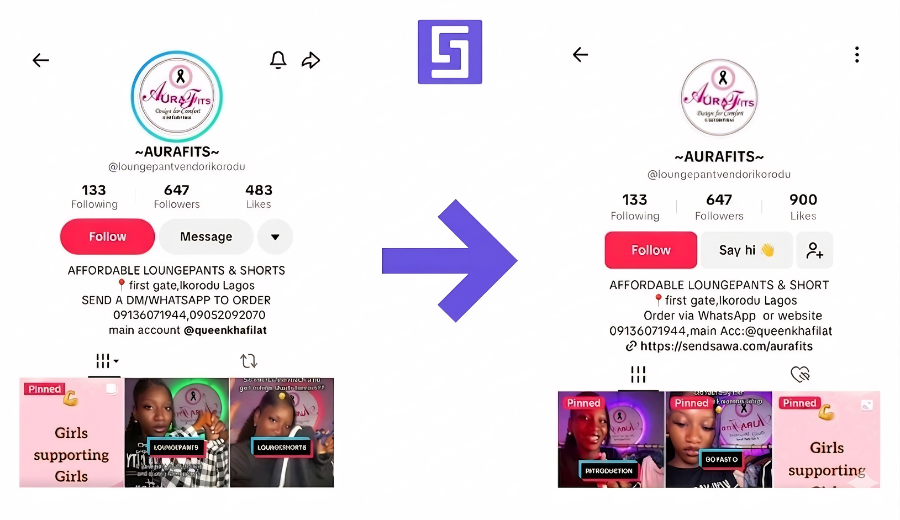
A free page audit, whether or not you ever open a store. Paste your Instagram, TikTok, X or Facebook page into the free page audit and you get a score out of 100 and the specific things to fix so more of your followers order. No sign up, no card, nothing to install. None of the other tools compared here offers anything like it.
Your customers, your analytics and your payouts in the same place. Who bought what, what is selling, and what is on its way to your bank, without a spreadsheet.
Cheaper is not the reason to move. Fit is.
If the only thing pulling you is the price, you will move, save ₦10,000 a quarter, and then spend it back on the thing you now have to do by hand.
The reason to move is fit. A storefront tool does one job: it turns the link in your bio into a shop where somebody can pick, pay and go without you typing anything. If that is the whole job, a tool built for exactly that job will do it faster and cost less than a suite where it is one tab out of nine.
A SendSawa store is usually live in about 5 minutes, because there is less to set up. That is not a boast about the software. It is a consequence of it doing less.
How to switch without losing an order
Never turn off the thing that is currently making you money. Do it in this order.
Open the new store first. Free plan, no card. Nothing about your current setup changes yet.
Load your ten best sellers, not the whole catalogue. Those ten carry most of your sales. Photos and real prices. Most sellers finish this in one sitting.
Swap the link in your bio and run both for a week. Instagram, TikTok, WhatsApp. See where the orders actually land.
Let the old plan run out on its own. Do not cancel mid-quarter and leave yourself with no shop the week a customer wants something.
If after that week you find yourself missing POS or staff accounts, you have learned something useful for ₦0, and you should stay where you are.
Questions sellers ask
Is there a free alternative to Bumpa? SendSawa's free plan holds 10 products on one store with no card and no end date, and takes 0% of your sales. Bumpa also has a free plan with its own limits. If your catalogue is under ten items, you can run either without paying anything.
Is SendSawa cheaper than Bumpa? At the entry level, yes. ₦5,000 a month, or ₦4,000 paid yearly, against ₦15,000 a quarter for Bumpa's Starter plan, as published in September 2026. Whether it is cheaper for you depends on whether you need what the extra money buys.
Can I move my products across? Yes, by adding them again. There is no one-click import between the two, so keep the old store live while you fill the new one.
Does SendSawa do POS? No. It is built for selling through the link you share, not for ringing up sales at a counter. If you have a counter, Bumpa is the better tool and it is not close.
Will I lose my customers if I move? Your customers follow your bio link, not your platform. As long as the new link is in place before the old one goes, they will not notice anything except a different looking shop.
Do the sum before you renew
Open your bank app, find last quarter's payment, and divide it by the orders you got. If the number per order makes you wince, spend the next free evening building the same shop somewhere cheaper and run them side by side for a week.
While you are deciding, run your Instagram or TikTok page through the free page audit. It costs nothing, needs no account, and the fixes it gives you will earn more this month than any subscription you cancel.